Tower Color2.0.6
Publisher Description


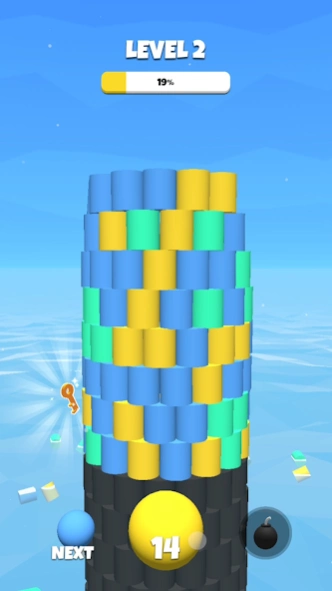
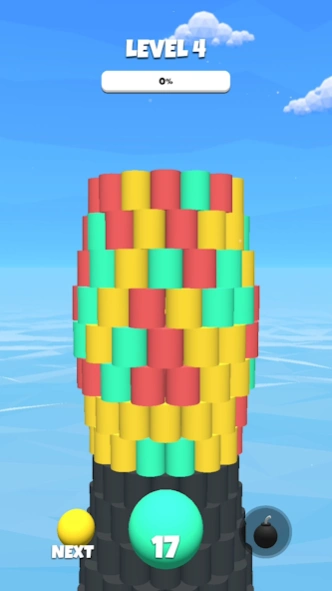
Can you amaze us with your smash hit? Demolish n break the tower with color ball
Tower Color is a new one-hand addictive 3D Game where you have to do a smash hit on the color tower with a color ball.
With an infinity of levels to complete & mesmerising colors, we will amaze you with this asmr game, with satisfying notes one you break bricks and demolish the tower color.
Level after level, the difficulty increases and the color tower gets higher and higher! Become the best tower crusher once you throw the color ball and smash. Let this game amaze you with the wonderful color bricks falling apart.
How to play?
- Start each level by choosing the right angle to hit the tower, swipe right or left.
- Throw the color ball on blocks and bricks that are same color match to destroy it!
- Demolish the Tower like a bucket crusher!
Features:
- Colorful blocks to see and a lot bricks to break
- Beautiful graphics, satisfying gameplay, asmr game with color match bricks
- Simple one-touch gameplay, just throw the color ball
- Easy to learn how to become a tower crusher
- Suitable for all ages that are fans of color ball, color match and bucket crusher games
Train your precision to win in this smash hit tower game. We challenge you to reach level 100!
Can you amaze us with your skills, tower crusher?
About Tower Color
The company that develops Tower Color is Homa. The latest version released by its developer is 2.0.6.
To install Tower Color on your Android device, just click the green Continue To App button above to start the installation process. The app is listed on our website since 2025-01-10 and was downloaded 1 times. We have already checked if the download link is safe, however for your own protection we recommend that you scan the downloaded app with your antivirus. Your antivirus may detect the Tower Color as malware as malware if the download link to com.nbstudio.towercolor is broken.
How to install Tower Color on your Android device:
- Click on the Continue To App button on our website. This will redirect you to Google Play.
- Once the Tower Color is shown in the Google Play listing of your Android device, you can start its download and installation. Tap on the Install button located below the search bar and to the right of the app icon.
- A pop-up window with the permissions required by Tower Color will be shown. Click on Accept to continue the process.
- Tower Color will be downloaded onto your device, displaying a progress. Once the download completes, the installation will start and you'll get a notification after the installation is finished.
Program Details
System requirements
Download information
Pricing
Version History
version 2.0.6
posted on 2025-01-10
Stability improvements
version 2.0.4
posted on 2024-10-28
- New collectibles!
- New rewards!
version 1.9.1
posted on 2023-11-27
Added sounds & music!
Added challenging levels!
version 1.7.63
posted on 2023-07-07
version 1.6
posted on 2022-05-09
Important ad issues are fixed
version 1.5.4
posted on 2021-06-02
Minor fixes and improvements
version 1.5.1
posted on 2021-03-04
We fixed several minor crashes
version 1.5
posted on 2020-12-23
Minor improvements
version 1.4
posted on 2020-09-10
. New Tower Shapes!
. Gameplay Improvements
. Bug Fixes
version 1.3.4
posted on 2020-07-06
. Gameplay Improvements
. Bug Fixes
